-
Open the video
Go to the Archive section in the Dashboard and open the required video session. -
Find Technical info
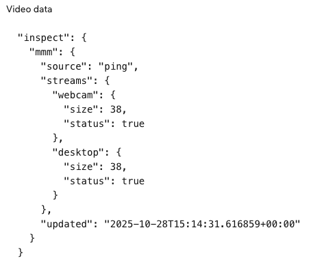
Scroll to the bottom of the page and locate the Technical info → Video data block. -
Check Stream data
Review the values for webcam and desktop streams:-
If both have
status: trueandsize > 0, the video can be rebuilt. -
If either shows
status: falseorsize: 0, rebuilding is not possible or incomplete.
-